A complete organization tool for people on the go
LeaderTask is an organizer that lets you manage your projects, contacts, tasks and, ultimately, your time.
Top Recommended Alternative

If you're like every other adult out there, you've often got more on your plate than you can feasibly remember from day to day. The only real way to combat this is by creating a detailed planner. There are a lot of really great planners out there. The trouble is finding the most appropriate one for your own particular needs.
LeaderTask provides you with a lot of different customization options, making it a nice tool for a variety of different people. Users with full-time jobs or with a lot of stay-at-home parent types of tasks will probably get the most use out of it. Students who want to keep track of homework assignments and events taking place outside of their classes might also appreciate LeaderTask's many features.
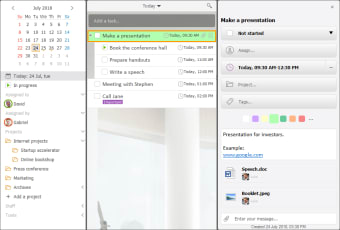
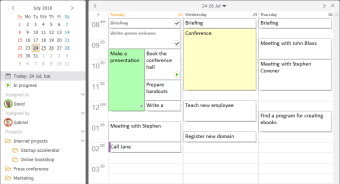
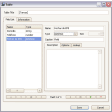
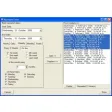
Similar in appearance to Microsoft Office OneNote, LeaderTask separates different tasks by colored tabs at the top of your calendar. These include business-related tasks like web design, support, development, information, calls, and meetings. There are also personal tabs like life, reading, sports, and recreation. You can create a to do list on one column of the daily calendar while adding more detailed notes onto the right column.
LeaderTask also allows you to add event reminders for certain tasks, or even notate friends's and colleagues's birthdays. You can schedule reminders in fifteen minute intervals that conveniently pop up at the bottom left corner of your LeaderTask screen. Best of all, LeaderTask very easily allows you to sync your Google Mail and Calendar data for additional functionality.
If you're looking for a customizable calendar with a built-in to do list, LeaderTask is a great option.